
The waybill, from one button,
inside the order.
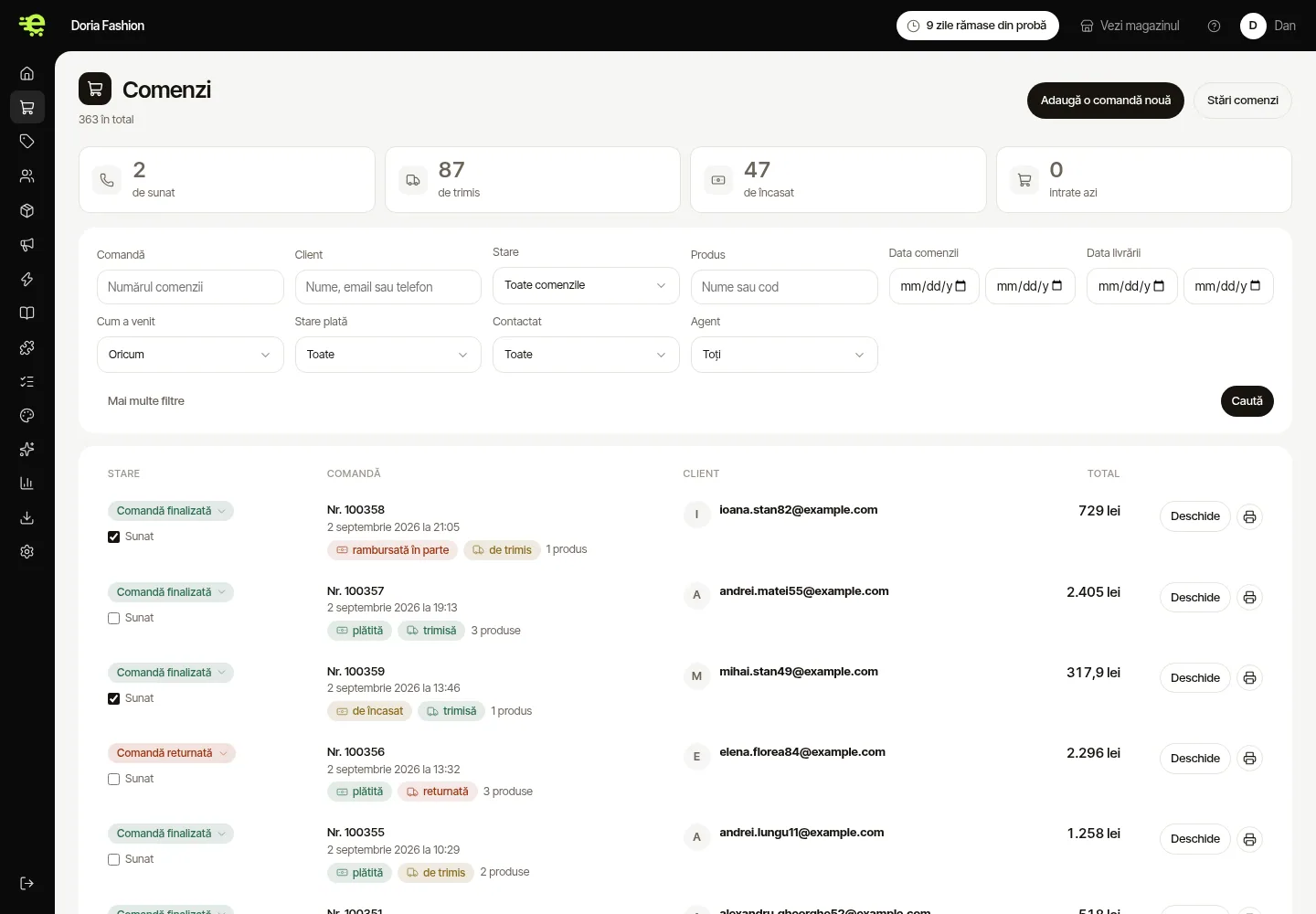
You connect the courier account once. After that, from every order, you generate the waybill, print the label, and the customer gets the tracking number — without ever logging into the courier's site.
7 couriers connected
For couriers without an integration there is “Standard courier”: you enter the waybill by hand, and everything else works the same.






What happens on an order
Waybill and label
You generate the waybill from the order, with the details already filled in. The label comes out ready to stick on.
Lockers and easybox
The customer picks the locker at checkout, on a map, and the waybill goes out with the locker's address.
Parcel status
The order moves to “shipped” by itself, and the customer gets the tracking number by e-mail.
Cash on delivery
The amount to collect on delivery goes onto the waybill, and the order is marked paid when the courier settles it.
Shipping costs
Free-shipping thresholds, rates by zone or by weight, set from the admin.
Returns
A returned parcel brings the goods back into stock and leaves a trace in the order's history.
Ship from your very first order.
The couriers are included in the subscription. All you need is your contract with them.
Start for free