

Apps.
Couriers, payments, invoicing, marketplaces, feeds, chat, newsletter and the store's selling tools — switched on with one button, from the admin. No developer, no integrator. Most are included in the subscription; the ones that cost extra have the price written on the card.
Sales channels
Marketplaces and platforms that take your products and bring you the orders.
The buy button
Sales channelsSell from any site, blog or landing page: pick the products, pick how the button looks, copy one line of code. No plugin to install, and the customer completes the order with you, in your store.
See how it worksIncludedBaseLinker
Sales channelsConnect the store to BaseLinker with one key: products, stock, prices, orders and customers travel between them. You tick what BaseLinker may read and write — the product list, stock updates, order statuses.
See how it works
EasySales
Sales channelsProducts and orders go out to easySales, so you can push them on to the marketplaces. You choose which products are sent (published only, or all), how the name is written, what stock goes out — the real figure or a fixed one — and whether order status comes back into the store, every quarter of an hour.
See how it worksIncludedeficio
Sales channelsProducts and orders go out to eficio, with the same rules as for easySales: you choose which products are sent, what they are called, what stock goes out and whether order status comes back into the store.
See how it worksAffiliate marketing
Ad networks, comparison sites and pixels: they bring traffic and measure what it does.
Google Shopping
Affiliate marketingYour products reach Google's results and the Shopping tab, through a feed in the format Merchant Center asks for. You choose which products go in, and the feed rebuilds itself whenever a price or stock figure changes.
See how it works
Facebook and Instagram
Affiliate marketingThe catalogue for Facebook and Instagram ads and for the Facebook shop, in a feed Meta reads at its own interval. Products, prices and stock stay current without you uploading anything by hand.
See how it worksIncludedTikTok
Affiliate marketingThe product catalogue for TikTok ads, in the format TikTok Ads asks for. Switch the feed on, paste the link into your ads account, and the products show up in catalogue campaigns.
See how it works
Your products become pins that can be bought, from a feed Pinterest reads by itself. Price and stock stay in step with the store.
See how it worksIncludedGoogle Remarketing
Affiliate marketingThe feed for Google's dynamic remarketing: it brings back the people who looked at a product and did not buy, showing them exactly the product they looked at.
See how it works
Criteo
Affiliate marketingThe catalogue for Criteo: ads that follow, on other sites, the product someone saw in your store. The feed sits at a fixed link, in the format they ask for.
See how it works
Compari
Affiliate marketingYour products on Compari, the highest-traffic price comparison site in Romania. The feed is in their format and rebuilds itself on every price or stock change.
See how it works
Glami
Affiliate marketingA feed for Glami, the fashion comparison site: clothes, footwear, accessories. Products go in with photos, prices and sizes, in the format they require.
See how it worksFIncludedFavi
Affiliate marketingA feed for Favi, the furniture and décor comparison site. You list your products there, and whoever clicks lands in your store.
See how it works
ShopMania
Affiliate marketingA feed for ShopMania, the all-category price comparison site. Products, prices and availability go out in their format.
See how it works
Price.ro
Affiliate marketingA feed for Price.ro, the Romanian price comparison site. Switched on from the admin and read from a fixed link.
See how it works
Okazii
Affiliate marketingA feed for Okazii, the Romanian marketplace with an audience of its own. Products are listed there from the same catalogue you have in the store.
See how it worksIncludedTikTok Pixel
Affiliate marketingMeasure in TikTok what people arriving from your ads actually do: visits, products viewed, cart, orders. Paste the pixel code exactly as TikTok Ads Manager gives it to you; we keep only the identifier and place the official snippet in the store.
See how it worksIncludedGoogle Ads
Affiliate marketingCount in Google Ads the orders that came from ads, with their value, so you can see which campaign brings money. You need the conversion ID and the conversion label from your own account.
See how it worksIncludedGoogle Site Tag
Affiliate marketingPaste the codes Google gives you — the global script, the conversion code, the call code — and we wire them into the store. You can also switch on enhanced conversions, with the customer's data hashed before it leaves the page.
See how it works
Meta Pixel
Affiliate marketingMeasure in Facebook and Instagram what people arriving from there do, all the way to the order. Besides the pixel, we also send orders from the server, through the Conversions API, so the ones ad blockers stop in the browser are not lost.
See how it works
2Performant
Affiliate marketingReport orders coming from 2Performant affiliates straight from the server, through the postback address in your advertiser account. You choose when they are reported — when placed, or only after payment — and whether only orders carrying the network's tag are reported.
See how it works
Profitshare
Affiliate marketingReport orders coming from Profitshare affiliates straight from the server, through the postback address in your account. When placed or after payment, only orders carrying the network's tag — you choose.
See how it worksCustomers
Forms and tools for people who have already bought: returns, warranty, reviews.

Warranty form
CustomersA public warranty page: the customer describes what broke, with the order number and photos, and you get it all by e-mail and in a list in the admin, where you reply. The menu entry appears when you switch the module on.
See how it works
Return form
CustomersThe return page on the site, with the form the law requires: the customer enters the order and e-mail, ticks what is going back, and you reply from the list. With Returns PRO, a customer with an account does it straight from their own order.
See how it works
Customer groups
CustomersSplit customers into groups — loyal, businesses, the difficult ones — and give each rules: who may place orders and on what kind of invoicing. New customers fall into the default group by themselves.
See how it works
Warranties PRO
CustomersThe PRO side of warranties: a buyer with an account picks the product from their own orders, writes only the fault, and follows the request from their account. No order numbers copied by hand.
See how it works
Returns PRO
CustomersThe PRO side of returns: a buyer with an account ticks the products right inside their order, says why they are sending them back and what they want instead, and follows the return from their account.
See how it works
Loyalty points
CustomersCustomers collect points on every order and spend them on the next one. You set what a point is worth, at what spend it is awarded, at which order status it is granted, and how much of the cart can be paid with points.
See how it works
VAT number validation
CustomersOn business orders, the VAT number is checked against the tax authority: does the company exist, is it VAT registered, has it been struck off? The answer appears on the order, next to the billing details. If the authority does not respond, the order goes through anyway and stays marked “unverified”.
See how it worksMarketing
Measurement, testing and tools that make the store sell better.

Google Analytics
MarketingSend visits and orders to Google Analytics 4, or through Tag Manager: pages viewed, products, cart, checkout, order with value. You enter the measurement ID once.
See how it works
Google Tag Manager
MarketingPut the Google Tag Manager container in once, and from there manage all your tags yourself — Analytics, ads, pixels — without touching the store again.
See how it worksIncludedMicrosoft Clarity
MarketingWatch session recordings and heatmaps: what people click, where they stop, where they give up. Paste the code from Clarity; we keep only the project identifier and place the official snippet.
See how it worksPayment
How your customers pay: card, cash on delivery, instalments.
Cash on delivery
PaymentThe customer pays when the parcel arrives. Switched on with one button, with no outside account; you can ask for phone confirmation on large orders, or charge a cash-on-delivery fee.
See how it works
Pay at the locker
PaymentCard payment on collection from an easybox: the customer orders, and the money is taken at the locker, when the door opens. It works together with locker delivery.
See how it works
Bank transfer
PaymentThe customer pays by bank transfer, with your details on the thank-you page and in the e-mail; you confirm receipt when the money lands, and the order moves to paid.
See how it works
Netopia Payments
PaymentOnline card payment through NETOPIA Payments: the customer pays on their secure page, and the order marks itself paid when the money arrives.
See how it works
Stripe
PaymentCard, Apple Pay and Google Pay through Stripe, on a secure page. The order moves to paid by itself; refunds are issued from the order.
See how it works
EuPlătesc
PaymentOnline card payment, with instalments, through EuPlătesc. Start in test mode, then go live once everything works.
See how it works
LibraPay
PaymentOnline card payment through LibraPay, the processor of Libra Internet Bank. The order is marked paid when the money arrives.
See how it works
PayU
PaymentOnline card payment through PayU, on their secure page, with the order marked paid automatically on confirmation.
See how it works
Zen.com
PaymentCard, Apple Pay or Google Pay through Zen.com, with the payment confirmation sent back into the order.
See how it works
PlătiOnline
PaymentOnline card payment, with instalments, through PlătiOnline. The customer pays on their page, and the order closes itself.
See how it works
iPay by BT
PaymentOnline card payment through iPay, the Banca Transilvania platform. The payment page is the bank's; the order is marked paid on confirmation.
See how it works
Mollie
PaymentCard, Apple Pay, PayPal and other methods, through Mollie, from a single account. The customer picks the method on their page.
See how it works
Revolut Pay
PaymentRevolut Pay, card, Apple Pay or Google Pay, through Revolut Business. The money lands in your Revolut account and the order closes itself.
See how it works
Odero
PaymentOnline card payment through OderoPAY, with their payment page and the confirmation returned into the order.
See how it works
tbi bank
PaymentBuy now, pay later: instalment credit through tbi bank, approved online. You are paid in full, the customer pays the bank in instalments.
See how it works
ING WebPay
PaymentOnline card payment on the secure ING WebPay page, with the order marked paid on the bank's confirmation.
See how it works
Leanpay
PaymentInstalments through Leanpay: the credit is approved online, on the spot, and you receive the full amount. The instalments also appear on the product page.
See how it works
Mokka
PaymentBuy now, pay in instalments, through Mokka: the customer chooses the down payment, approval is instant, and you are paid in full.
See how it works
PayPo
PaymentBuy now, pay in 30 days: deferred payment through PayPo. The customer gets the parcel before paying; you are paid by PayPo.
See how it works
PayPal
PaymentPayment with a PayPal account or by card, on their page. The order is marked paid when PayPal confirms.
See how it works
Klarna
PaymentBuy now, pay later or in instalments, through Klarna. The customer chooses on the Klarna page; you are paid in full.
See how it works
Viva.com
PaymentOnline card payment, with instalments, through Viva.com Smart Checkout: a payment page that remembers the customer's card across stores.
See how it worksCouriers
Who carries the parcels, with the waybill created from the order.

Ecolet
CouriersSeveral couriers on one account, through Ecolet (Alsendo): the waybill is created from the order, and you pick the courier for each parcel.
See how it works
GLS
CouriersDelivery to the address and to ParcelShop through MyGLS: waybill and label from the order, with parcel collection scheduled.
See how it works
PTT Express
CouriersDelivery to the address through PTT Express (Trucker): waybill and label come out of the order, and the parcel is tracked from there.
See how it works
UPS
CouriersInternational shipping through the UPS APIs: waybill, label and tracking from the order, for parcels leaving the country.
See how it works
Woot
CouriersSeveral couriers on one key, through Woot: you pick the courier on each order, and the waybill is created from the same place.
See how it worksIncludedInnoship
CouriersDozens of couriers and lockers on one key, through Innoship, with prices compared at checkout. The customer chooses, and the waybill is created from the order.
See how it worksIncludedBookurier
CouriersDelivery to the address through Bookurier, with waybill, manifest and pickup request, all from the order.
See how it works
Packeta
CouriersPickup points, Z-BOX and to-the-door couriers through Packeta: the customer picks the point at checkout, and the waybill is created from the order.
See how it works
Standard courier
CouriersDelivery with a hand-entered waybill, no integration: you put the tracking number on the order and the customer gets it by e-mail. For the courier you hold a direct contract with, or for your own deliveries.
See how it works
Sameday
CouriersTo-the-door delivery and easybox through Sameday: the waybill is issued from the order, and the customer picks the easybox on a map at checkout.
See how it works
FAN Courier
CouriersTo-the-door delivery and FANbox through FAN Courier, with the waybill and pickup request straight from the order.
See how it works
Cargus
CouriersTo-the-door delivery and Ship & Go through Cargus, with the waybill from the order and pickup scheduled at closing time.
See how it works
DPD
CouriersTo-the-door delivery and DPD points — offices and lockers — with the waybill and pickup from the order.
See how it works
Dragon Star
CouriersTo-the-door delivery through Dragon Star, with waybill, label and pickup request created from the order.
See how it works
DHL Express
CouriersDomestic and international shipping through DHL Express, with waybill, label and pickup from the order.
See how it worksNewsletter
E-mails to customers: campaigns, abandoned carts, automations.

theMarketer
NewsletterSubscribers and customers go out to theMarketer, for campaigns and automations. You enter the REST key and the client ID; you can tag every subscriber sent from here.
See how it works
Klaviyo
NewsletterSubscribers go straight into the Klaviyo list you choose, using the private key and the list ID. Without a list, the contact reaches the account but is subscribed to nothing — which is why we ask for it up front.
See how it works
Brevo
NewsletterSubscribers go out to Brevo (formerly Sendinblue), into the list you choose, using the v3 API key from your account.
See how it works
Mailchimp
NewsletterSubscribers go into your Mailchimp audience. You choose whether they first get a confirmation e-mail — fewer subscribers, but fewer complaints too.
See how it works
NewsMAN
NewsletterSubscribers go out to NewsMAN, into the list you choose, with or without a confirmation e-mail. The key and user ID come from your account.
See how it worksLive Chat
Talk to visitors while they are looking at products.

A discreet button in the corner of the store: the customer messages you on WhatsApp with the product in mind. You choose the number, the opening message, which corner it sits in, and whether it opens by itself after a few seconds.
See how it works
tawk.to
Live ChatFree chat in the store: talk to visitors while they browse. Paste the widget code; the chat only loads after cookie consent, if you leave that setting on.
See how it works
Tidio
Live ChatChat, chatbot and automated messages in one inbox, through Tidio. Paste the code or the public key; it loads after cookie consent.
See how it works
Smartsupp
Live ChatChat with session recordings: you also see what the person did before writing. Paste the key from Smartsupp; it loads after cookie consent.
See how it worksSales
Selling tools inside the store: quick orders, phone orders, quotes.

Gifts in the cart
SalesGive a product as a gift above a certain cart value — or on any order. It lifts the average cart and gives people one more reason to buy from you.
See how it works
Abandoned carts
SalesSee the carts left behind in the store: who, when they were signed in, which products, what they are worth — and the link that opens the cart, so you can place the order for them over the phone.
See how it works
Cart recovery
SalesA few hours after someone abandons their cart, they get an e-mail with what they chose, a button back to their cart and, if you want, a discount code. You choose the timing and the wording.
See how it works
Minimum order
SalesA threshold below which the cart cannot be placed — for everyone, or only for business orders — with your own message shown to the customer.
See how it works
Quotes
SalesTailored price and product quotes, sent by e-mail with a PDF carrying your details and logo. The quote history sits on each customer, so you know what you offered and when.
See how it works
Quick orders
SalesA button under “Add to cart”: the customer leaves only a phone number, and you place the order when you call them. For the people who will not fill anything in.
See how it worksProducts
What else you can do with the catalogue: recommendations, imports, configurators.

Product bundles
ProductsSell two or three products together at a better price: 1+1, a discounted bundle, things that go together. Customers decide faster and buy more.
See how it works
Export
ProductsTake products, orders or customers out of the store into a file: for your accountant, for a backup, or to make bulk changes and upload them back.
See how it works
Online courses
ProductsSell video courses and digital materials. On the product you choose the type “Online course” and add the lessons, and the customer finds them in their account after paying — no plugin, no second platform.
See how it works
Downloadable product
ProductsSell files: PDFs, vectors, templates. On the product you choose the type “Downloadable product” and upload the files, and the customer downloads them from their account after paying.
See how it works
Recently viewed products
ProductsShow the customer the products they have already opened — a reminder that brings them back to the cart. You choose where they appear: the product page, the cart, the home page, the categories.
See how it works
Product import
ProductsAdd and update thousands of products from a file: price, stock, categories, photos, attributes. You start from a template file, and the import tells you exactly what failed, line by line.
See how it works
Subscriptions
ProductsSell frequently repurchased products as a subscription: the customer picks the interval, and the order is created by itself each time it falls due. You tick “sold as a subscription” on the product, and “Subscribe” appears in the store.
See how it works
Stock alert
ProductsCustomers ask to be told when a sold-out product is back in stock; when it returns, they get the e-mail automatically. You see which products are being waited for, and by how many people.
See how it works
Automatic reviews
ProductsAfter every order, the customer automatically gets an e-mail asking what they thought of the products — with variables in the text and at the interval you choose.
See how it works
Downloads
ProductsPut manuals, spec sheets, guides or catalogues on the product pages. One file can belong to several products or categories at once, so you do not upload it ten times.
See how it works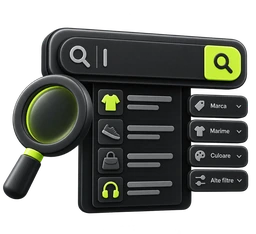
Search Bar
ProductsA search bar on attributes — make, model, year, diameter — above the pages. The person lands straight on their part, without leafing through a category of thousands of products.
See how it works
Extra services
ProductsInstallation, extended warranty, gift wrapping or a card, chosen by the customer at checkout. The cost enters the order as a separate line, so it also appears on the invoice.
See how it works
Advanced recommendations
ProductsRules that decide by themselves what is shown next to a product or in the cart: by price, category, brand or code. Nothing is written onto the products; the rules do the work.
See how it works
Bundle product
ProductsA product in its own right, made from other products in the store. It has its own page and price, and with every sale the components' stock goes down by itself.
See how it works
Promotional labels
ProductsThe corner labels on products — “Sale”, “New”, “Last few left” — with the text, colours, position and image you choose. Three ready-made labels come with it, and you can change them.
See how it works
Configurable product
ProductsOptions the customer picks on the product page: engraving, packaging, an accessory alongside. Their price is added to the product, and the choice travels onto the order.
See how it worksInvoicing & Inventory
Invoices, stock and accounting, tied to the orders.
ERP integration
Invoicing & InventoryWe connect the store to your inventory software: stock, prices, orders and invoices, in both directions. Tell us what you work with and we quote you; the integration is done by us, not by you.
See how it works
EfiMag invoicing
Invoicing & InventoryInvoices, proformas, receipts and e-invoicing straight from EfiMag, with no other application. Three tiers: from documents and PDFs, to the accountant's journals, to automatic issuing from the order with submission to the tax authority. E-invoicing is included in all of them, for companies in Romania.
See how it works
Oblio
Invoicing & InventoryOrder invoices are issued from the order, or automatically, into your Oblio account, using the series, numbers and VAT held there.
See how it works
SmartBill
Invoicing & InventoryOrder invoices in SmartBill Cloud, with receipts recorded and stock written off, without you typing anything by hand.
See how it works
FGO
Invoicing & InventoryOrder invoices in FGO, with separate series for credit notes and proformas; issued from the order or automatically.
See how it works
SAGA
Invoicing & InventoryThe store's invoices uploaded into your accounting in SAGA Web, so nobody has to enter them a second time.
See how it works
Facturis Online
Invoicing & InventoryInvoices or proformas in your Facturis Online account, with a receipt issued on payment.
See how it works
Facturează.ro
Invoicing & InventoryInvoices or proformas in your Facturează.ro account, with the customer, the payment and the e-mail sent along with the document.
See how it works
factureaza.me
Invoicing & InventoryInvoices or proformas in your factureaza.me account, with the payment and the e-mail alongside the document.
See how it worksSEO
How search engines — and the assistants answering in their place — find you.

AI crawlers and llms.txt
SEOHow ChatGPT, Gemini and the others answering in place of search see you: the store publishes llms.txt and the pages AI crawlers read, by itself. You choose what stays visible.
See how it works
301 redirects
SEOSee which addresses requested in the store lead nowhere and send them, with a 301, to the right pages — no developer needed. Old links from Google and other sites stop going to waste.
See how it works
Advanced SEO
SEOWrite the title and description template once, with variables, and it fills in every product and category by itself. It also shows you what is broken: missing title, too long, duplicated.
See how it worksOther
What does not fit into any of the above.

Automations
OtherThe store works on its own: when something happens, and your conditions match, it takes the steps you chose — e-mail, note, tag, discount code, webhook. Ready-made recipes, a graph builder, and EFI, which writes one for you from two sentences.
See how it works
EFI analysis
OtherSomeone who reads your store's numbers and tells you what to do: what sells, what is stuck, where you lose money and what is worth trying this week. The numbers come from your own orders and visits; the explanation is written by EFI, without inventing anything.
See how it works
Image gallery
OtherPhoto albums — outfits worn, rooms styled, finished work — with the products pinned onto each photo. The customer adds them to the cart without leaving the album.
See how it works
Multiple locations
OtherYour showrooms, warehouses and pickup points, with an address on the map, opening hours by day and contact details. They appear on a page of their own and beside the contact form.
See how it worksSMS
Messages to customers: confirmations, waybills, campaigns.

No app matches. Try another word or another category.
You switch them on from the admin, not over e-mail.
You do not request a quote for every integration and you do not wait for a developer. Open the store, go into EfiApps, click what you need.
Try free for 3 days